 Note Trainer
Learn to read sheet music.
Practise sight-reading on iPhone and iPad. Follow guided lessons, recognise notes and chords, and see what’s getting easier each time you play.

 Google Play: Coming soon
Free to download Optional Pro purchases

Guided lessons
Make sense of the stave.
Follow a full guided music theory course, from the basics of notation and rhythm to advanced topics. Every lesson is interactive, so you can try what you’ve just learnt.
Google Play: Coming soon


Sight-reading
Read notes. Recognise chords.
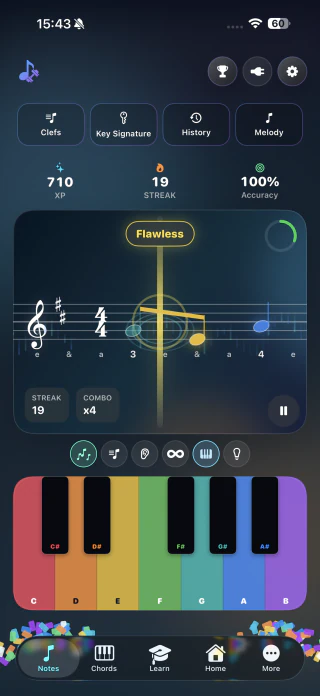
Match the note on the stave to a piano key, or recognise a chord from its shape. Pick a clef, a key signature and a range that’s right for you.
Google Play: Coming soon


Piano Player
See how a melody moves.
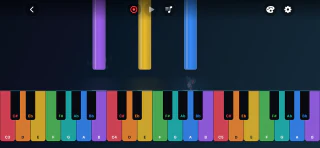
Read music in the stave views, or switch to the Piano Player visualiser to watch notes fall towards the matching keys. Explore the same music in different ways.
Google Play: Coming soon

Music theory
Get to know the keys.
Use the Circle of Fifths to see which keys share the same sharps or flats. Find a key you’ve played, then explore its scale in Key Explorer.
Google Play: Coming soon

Practise your way
See your progress add up.
Track your accuracy and practice over time. Set yourself a weekly challenge, then see what’s getting easier and what you want to work on next.
Google Play: Coming soon


Your first practice
Start with a few notes.
Choose one of four clefs for note or chord practice. Explore suspended, added-note and extended chords, train your ear, or play along with built-in songs.
Google Play: Coming soon
Free to download Optional Pro purchases

App customisation
Give practice your own look.
Switch app themes, choose trails for moving notes, and personalise the Piano Player with visual effects. See how a different look feels in your next session.
Google Play: Coming soon
Free to download Optional Pro purchases


A simple way to begin
Try this in your first week.
- Start small. Pick treble or bass clef and practise a short range of notes.
- Repeat before moving on. Use the same range in your next session so you can compare accuracy.
- Change one thing. Add a note, try a new key signature, or switch off colour cues. Keep the other settings the same so you know what made the round harder.
Good to know
Before your first practice.
New to notation? Start with our guides to reading music notes and improving sight-reading.
Is Note Trainer suitable for beginners?
Yes. Start with a guided lesson or choose a small set of notes to practise. You can expand the range as you get more comfortable reading the stave.
Can I practise treble and bass clef?
Yes. Note Trainer supports treble and bass clef, as well as alto and tenor. Pick a clef that suits your instrument or work on one you read less often.
Do I need a piano to use Note Trainer?
No. You can answer with note names or use the on-screen piano in supported exercises, so you can practise even when you’re away from your instrument.
Is Note Trainer free to download?
Yes. You can download it and try free practice and lessons. An optional Pro subscription or lifetime unlock adds more lessons, practice modes and tools.
Can I download Note Trainer on Android?
Google Play availability is coming soon. You can download Note Trainer for iPhone and iPad now from the App Store.